

Passing Nintendo Lotcheck isn’t the same as proving your game is bug-free. To understand how to pass Nintendo Lotcheck, prepare for a review of whether your game meets Nintendo’s requirements before eShop release, including how it behaves in docked and handheld play and when the console sleeps. Games may need more than one certification attempt, so plan for a possible resubmission.
When bringing a game to consoles, it’s natural to focus on stability and polish. Lotcheck also examines platform-specific details, and small oversights can send a submission back for changes. Understanding what the review covers helps you prepare a more complete build and avoid preventable delays.
This guide explains what Nintendo Lotcheck is, how Switch certification works, and which common issues can lead to resubmission. It also covers practical ways to check your game’s modes, controls, and system behavior before submission, so you can approach certification with a clearer plan.
Key Takeaways
- Review button prompts and platform terminology for Nintendo-specific consistency before you submit.
- Test stable gameplay in both TV and handheld modes; the graphics configuration can differ between them.
- Include memory, storage, and console sleep behavior in your certification test plan.
- Prepare your studio’s developer registration and submission materials as part of release planning.
- Use a structured publishing pipeline to coordinate the technical and administrative work involved in bringing your game to consoles.
Common reasons for Lotcheck resubmission
A Lotcheck failure can delay release while your team diagnoses the issue, updates the build, and submits it for another review. A practical approach to how to pass Nintendo Lotcheck starts with treating certification as a separate release milestone. Plan for further testing and another certification cycle, rather than relying on a single submission.
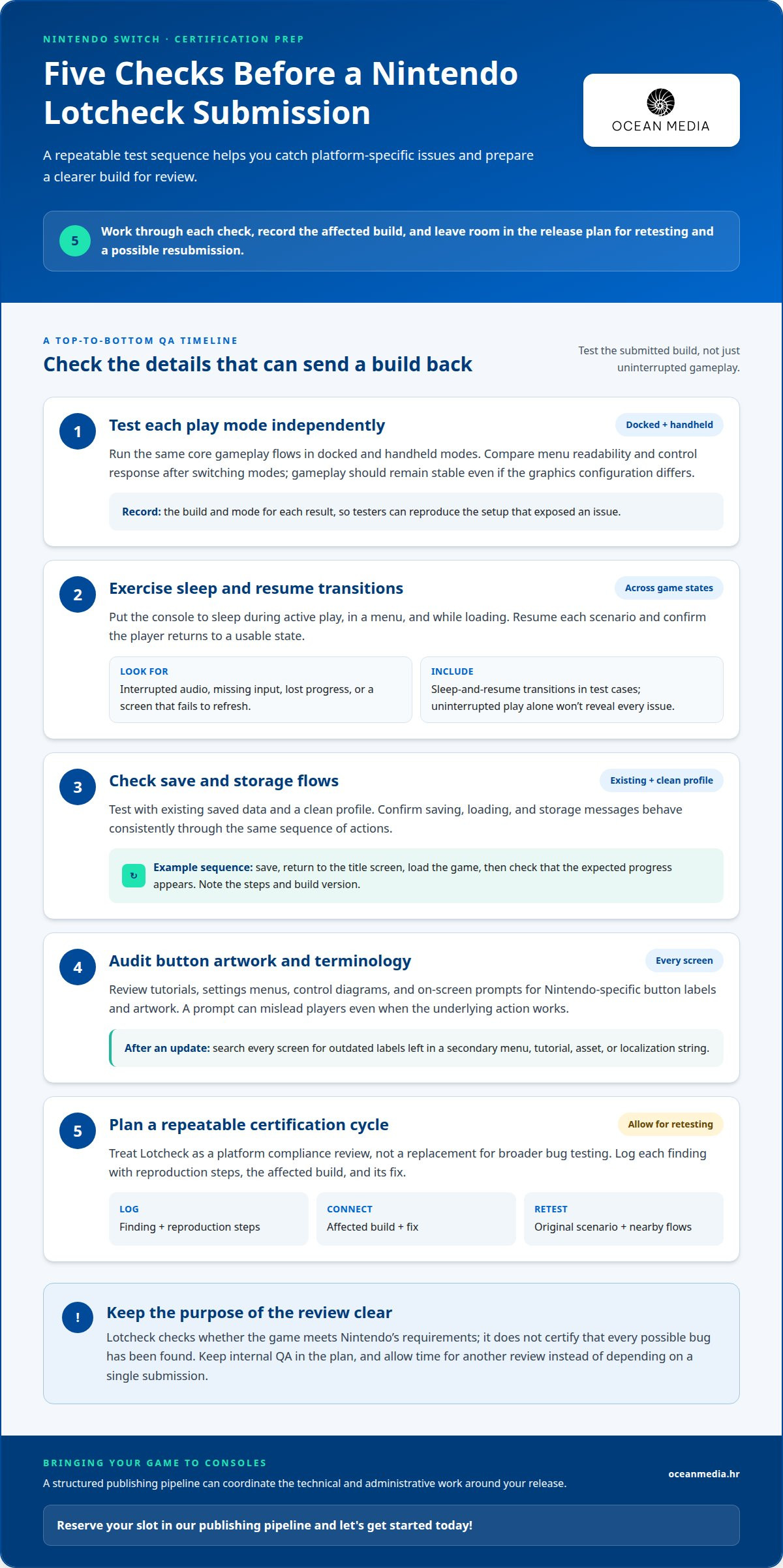
- Test each play mode independently. Run the candidate build in docked and handheld modes, then compare the same core gameplay flows. Check that menus remain readable and controls respond as intended after switching modes. Gameplay should remain stable in both, even if the graphics configuration differs. Record the build and mode for each result so testers can reproduce an issue without guessing which setup exposed it.
- Exercise sleep and resume transitions. Put the console to sleep during different game states, such as active play, a menu, or loading. Resume and confirm the player returns to a usable state. Watch for interrupted audio, missing input, lost progress, or a screen that fails to refresh. Include these transitions in your test cases, since uninterrupted play alone won’t reveal every resume-related problem.
- Check save and storage flows. Test with existing saved data and a clean profile. Confirm that saving, loading, and storage messages behave consistently through the same sequence of actions. For example, return to the title screen after saving, then load the game and check that the expected progress appears. Note the exact steps and build version so developers can compare results before and after a change.
- Audit button artwork and terminology. Review every tutorial, settings menu, control diagram, and on-screen prompt for Nintendo-specific button labels and artwork. A prompt can mislead players even when the underlying action works. Search every screen after updating an asset or localization string to catch an outdated label left in a secondary menu or tutorial.
- Plan QA around a repeatable certification cycle. Treat Lotcheck as a platform compliance review, not a replacement for broader bug testing. Log each finding with reproduction steps, the affected build, and its fix. Retest the original scenario after changes, then check nearby flows for regressions. A controlled process for how to pass Nintendo Lotcheck includes time for another review, rather than making release readiness depend on one submission.
Nintendo Switch Lotcheck certification
Plan certification as a platform-specific review, separate from your studio’s broader quality assurance. Clarify the review’s scope, planning assumptions, and documentation process.
-
Review Nintendo Submission Requirements
Start with Nintendo’s requirements for the specific platform and release you’re preparing. Nintendo Lotcheck evaluates compliance with Nintendo’s guidelines; passing another platform’s review doesn’t replace that assessment. Keep separate requirement records for each console in a multiplatform project. This helps your team identify which decisions apply to the Switch version instead of assuming one certification checklist covers every platform.
Use the appropriate platform guidance to map each requirement to a responsible team member and project milestone.
-
Prepare for Lotcheck Certification
Set aside time for certification work within the release plan. Lynxbyte Games estimates Nintendo Switch quality assurance and certification take 2-4 weeks. Its estimate for porting and verification is 8-20 weeks, a separate stage that can shape the broader schedule. These estimates describe different work, so don’t treat the certification window as the full time needed to prepare a game for release.
Costs can include porting, quality assurance, and changes made in response to findings. The work involved depends on the game and the changes needed.
-
Submit the Game to Lotcheck
Use the Nintendo Developer Portal to access official developer and submission documentation. Follow the process and requirements provided for your platform and project. In your release plan, assign someone to track submission status and route review feedback to the right team. This keeps certification work connected to release decisions without assuming another console’s submission process applies to Nintendo.
For formal submission, follow Nintendo’s current instructions in the portal instead of relying on an old project template.
-
Complete Lotcheck Testing
Keep certification testing distinct from general bug hunting. Lotcheck checks whether the game meets Nintendo’s requirements; it doesn’t certify that every possible bug has been found. Internal QA remains valuable for identifying defects beyond the certification review. Record the result of each certification-related test and connect any required change to the build that includes it.
For release teams coordinating publishing alongside platform preparation, console publishing support can fit into the wider release plan.
Nintendo Lotcheck also checks that console-specific button artwork and terminology are used correctly, so review these details in the submitted build.
What are the current Nintendo platform submission requirements for games?
- Prepare your studio registration details. Nintendo developer registration is completed through the Nintendo Developer Portal and normally requires a formally incorporated studio and an NDA. Organize your studio information and agreement steps before beginning registration. Identify who will manage the studio account and coordinate project access. Registration provides a starting point for using Nintendo’s developer resources, while the game’s release requirements depend on its platform and format.
- Plan age ratings around your digital territories. IARC offers a single-questionnaire route that produces age ratings accepted by digital stores across several territories. Consider where you intend to launch and include the rating process in store preparation. For example, a digital release targeting several participating markets can use the questionnaire route rather than treating each storefront as a separate rating task.
- Distinguish digital releases from physical releases. In Japan, requirements differ by release format: CERO certification is required for physical releases, not digital launches. Make the format decision explicit in your release plan because it affects which rating consideration applies. Nintendo Switch physical cartridge releases are normally produced and distributed through specialist partners, so a cartridge plan follows a different production path from a digital eShop launch.
- Keep platform features specific to each version. Nintendo Switch doesn’t have a platform-wide standardized achievement system comparable to Xbox Gamerscore or PlayStation trophies. Don’t assume a feature designed for another console automatically applies as a Nintendo requirement. If your game tracks achievements internally, distinguish that design from platform-level trophy or score features when documenting each version’s intended functionality.
- Align requirements with the release plan. Record the target platform, territories, and release format together, then map each decision to its relevant preparation task. A digital Switch release planned for several territories raises different rating considerations from a physical release in Japan. This release matrix helps your team connect storefront, rating, and format decisions instead of applying one platform’s or territory’s assumptions to every version.
Include both TV and handheld modes in your stability checks before finalizing the build. Nintendo Switch games need to run stably in both modes, but their graphics configurations don’t have to be identical. This gives your team room to tune each mode independently while keeping the game reliable. Record the configuration used for each mode, and check that a change intended to improve one doesn’t create instability in the other.
As you prepare the release, review the game in both modes as part of the same quality process. Check that gameplay remains stable in each configuration, and revisit the settings if a mode shows problems. Treat differences in graphics configuration as a way to adapt the presentation, not as a reason to skip testing either mode. Connecting these checks to the build review helps the team catch issues early and maintain a consistent experience across TV and handheld play.
How do developers submit a game to Nintendo Lotcheck?
Manage Lotcheck submission as a release workstream with clear decisions, ownership, and communication. These steps help your team coordinate the work involved in the formal submission process.
- Define the submission decision-makers. Agree who can approve the game for submission and who can pause approval if a release-critical concern remains. Include representatives from development, QA, and publishing in the decision process. This prevents last-minute disagreements about readiness, especially when teams view the same issue differently. Record the internal approval so everyone knows what was decided.
- Set an internal readiness gate. Choose criteria your team must meet before authorizing submission. For example, require QA to finish its planned test pass and development to resolve agreed release blockers. Keep the gate focused on decisions, not on duplicating every test case. This gives reviewers inside your studio a clear way to distinguish “ready to submit” from “still in preparation.”
- Make the review period visible to the whole team. Add the submission and expected response window to the project schedule, then connect them to relevant release milestones. Don’t schedule dependent work as though certification feedback will arrive at a specific time unless that timing is established for your project. A shared schedule helps production, QA, and publishing plan their next decisions around the review stage.
- Agree how Nintendo feedback will be handled. Decide who receives review communications, who interprets each finding, and how decisions reach the developers responsible for changes. Keep the original wording available to the team so internal summaries don’t lose important context. A consistent process also helps prevent departments from acting on different interpretations of the same certification feedback.
- Connect each decision to release impact. When feedback requires action, assess whether it affects only the submitted title or changes other planned release work. For example, a shared game component may be used in more than one platform version. Discuss the impact with the relevant owners before adjusting milestones, so a fix for one submission doesn’t create an unnoticed issue elsewhere.
- Close the submission cycle deliberately. Once you understand the review outcome, update the project release plan and note any remaining decisions. If another submission is needed, treat it as a new approval point rather than assuming the previous sign-off still applies. This creates a clear transition from certification work to the next stage of bringing your game to market.
What steps should developers take to prepare for Lotcheck certification?
Build certification preparation into your release plan instead of treating submission as the final quality check. Nintendo game submissions can fail Lotcheck on the first attempt, so schedule time for more than one certification cycle.
- Assign clear owners for certification tasks. Name a lead to track requirements, build readiness, and review feedback. Assign each platform-specific task to a developer or tester who can resolve it. For example, one person can review user-facing text while another consolidates test results. Clear ownership helps prevent tasks from falling between development, quality assurance, and release planning.
- Turn Nintendo’s guidance into a project test plan. Create a document that connects each relevant requirement to a test, an expected result, and the person responsible. Keep the plan focused on the submitted version. Note which build was tested and record the result beside the associated test case. This structure makes gaps visible before submission and gives the team a consistent way to review changes.
- Run a focused quality-assurance pass on the candidate build. Ask testers to follow complete player journeys, not just isolated features. A test could begin at launch, continue through a new game, and end after saving and returning to the title screen. Record reproducible steps for every issue. Separate issues that block a tested flow from minor presentation concerns so developers can prioritize fixes without losing track of either.
- Check that the release materials match the game. Compare the candidate build with its title, prompts, supported modes, and accompanying submission details. Review each language version independently, because an updated instruction in one language can leave another out of sync. Ask a team member who didn’t prepare the materials to make the comparison. Fresh eyes can catch mismatched version labels or outdated content.
- Protect time for fixes and another certification cycle. Leave room in the schedule for triage, implementation, regression testing, and a new submission. A fix can affect nearby features, so retest the original issue and related player flows. Record each finding, its resolution, and the build containing the change. This makes the next review cycle traceable and helps the team avoid repeating earlier work.
- Coordinate submission planning with your release milestones. Set internal readiness points for the test plan, candidate build, review materials, and feedback response. If you’re bringing your game to consoles, plan your console release process alongside certification so technical work and publishing decisions stay aligned.
Ocean Media: Console Game Publishing
Ocean Media supports developers with Console Game Publishing as they move from a finished game toward a console release. Its publishing expertise helps you navigate the technical and administrative work involved in platform submissions and digital distribution. This can be a useful next step when your team wants a structured publishing pipeline alongside Lotcheck preparation, while your studio retains responsibility for game development.
If you’re bringing your game to consoles, reserve your slot in our publishing pipeline and let's get started today! You’re also welcome to contact Ocean Media to discuss your release plans.
Move Your Console Release Forward
Certification planning can shape more than a submission. It can influence how your team assigns responsibility, sequences release milestones, and prepares to bring your game to consoles. Including the publishing pipeline in your project plan connects technical readiness with the wider launch, rather than leaving those decisions until the build is complete.
Knowing how to pass Nintendo Lotcheck gives your team a clearer basis for planning, but coordinating a console release also involves publishing decisions. Ocean Media offers Console Game Publishing for developers preparing to take that next step. If you’re ready to discuss how your project fits into a console release plan, contact Ocean Media about your project.
Your game’s next stage begins with a practical plan and a team ready to move it forward.
Frequently Asked Questions
What is Lotcheck?
Lotcheck is Nintendo’s certification review for games submitted for release on its platform. It checks whether a submitted title meets Nintendo’s requirements; it isn’t a complete search for every possible software bug. For your team, that means treating platform compliance and general quality assurance as related but separate tasks. A game may still need further QA after its certification review is complete.
What is Nintendo Lotcheck and what does it review?
Nintendo Lotcheck reviews a game build against Nintendo’s platform-specific requirements before its eShop release. To plan practical tests, organize them around player activities: launching the game, navigating a menu, changing a setting, and returning to gameplay. Record the expected result and build version for each case. This helps your team connect a review finding to the relevant part of the experience.
What common reasons cause Nintendo Lotcheck failures?
Failures can result from platform details that are inconsistent or behave incorrectly in a particular situation. For example, a control prompt might show one button while the action uses another, or a player might encounter a problem after resuming from sleep. Test the same scenario across relevant game modes and menu paths. Clear reproduction notes help developers distinguish a compliance issue from an unrelated bug.
How do Nintendo Lotcheck test cases cover gameplay, UI, saves, and online features?
Build test cases around repeatable player actions, and record the expected outcome for each. A gameplay case might follow a level objective; a UI case could check navigation from the title screen into settings. A save case can compare progress before and after loading. For online features included in your game, define the player action and expected response, then document interruption and recovery behavior.
How do developers fix Lotcheck issues and resubmit a game?
Start with the finding, reproduce it on the identified build, and assign it to an owner. After making a change, rerun the original test and check nearby flows for regressions. Update the build identifier and test record before preparing the next submission. If a menu prompt changes, for example, review every screen that uses it. Keeping the finding, fix, and retest together makes the next cycle easier to manage.
What are the differences between Nintendo Lotcheck requirements for Switch and other platforms?
Requirements are platform-specific, so another platform’s review doesn’t replace Nintendo’s. Switch testing includes stable docked and handheld play, memory and storage, sleep and resume behavior, and Nintendo-specific button artwork and terminology.
Are there fees or costs for Nintendo Lotcheck submissions?
Costs can include porting, quality assurance, and changes made in response to review findings. The work involved depends on the game and the changes needed.


