

A console pre-order involves more than creating a store page. Setting up a game for pre-order on console means coordinating the product configuration, listing, release timing, and downloadable package so players can reserve the game and access it when it unlocks. Pre-loading must fit into that plan, too.
A smooth launch requires coordination across creative, technical, and publishing work. The challenge is preparing each part in the right sequence while allowing time for platform review and planned launch incentives. Gaps in the schedule or package can undermine the experience players expect on release day.
This guide covers the core preparation, submission and pre-loading plans, and how bundles or early access may support a release. It sets out a practical sequence for bringing a game to consoles, from configuring the pre-order to coordinating the launch package and timing.
Key Takeaways
- Align your store listing, product configuration, release date, and launch package before opening pre-orders.
- Build platform submission and approval into your schedule so launch plans account for review and possible changes.
- Plan pre-loading around the package players will install and the updates available before release.
- Make bundles and early-access incentives clear, including when a pre-order entitlement becomes playable.
- Set your listing timeline around project readiness and approval milestones rather than relying on a one-size-fits-all schedule.
Game pre-order requirements
When setting up a game for pre-order on console, map out platform-specific decisions and responsibilities before the offer goes live. Each storefront has its own process, so treat its current requirements as the reference rather than assuming one console’s approach applies to another.
Pre-order pricing, payment timing, and refund rules vary by platform and offer, so there is no single policy for every console storefront. Delays or cancellations can affect player expectations and planned communications. Coordinate any changes with the teams handling the release and customer support.
- Assign a requirements owner. Name the person responsible for tracking each platform’s submission questions and decisions. For example, one owner can collect feedback while a development lead supplies accurate product information. Clear ownership helps prevent unanswered requests from being lost between teams.
- Maintain one decision record. Record platform responses, internal decisions, and the date each decision was made. Keep the record separate from working drafts, so staff can distinguish an agreed approach from an idea still under discussion. This becomes especially useful when team members change.
- Define entitlement checks. Describe how your team will verify that a completed preorder grants the intended game access. Use a test scenario, such as a customer who preorders one edition but later changes their selection. The goal is to identify mismatches before they reach player support.
- Plan for exceptional cases. Write down how the team will respond to a delayed release, a canceled offer, or a player who reports an unexpected transaction outcome. Keep the response process consistent with the platform’s handling of that purchase. Don’t promise a remedy your team cannot deliver.
- Separate decisions from assumptions. Label open questions clearly in internal tracking, then assign an owner and a next action to each one. For instance, if a platform review raises a question about the offer, record the response needed instead of treating a draft answer as approved.
- Align player-facing support. Give support staff the approved explanation of the offer and a route for escalating platform-specific issues. If a player reports a purchase problem, staff should be able to identify the relevant platform and direct the issue through the appropriate process.
- Reconcile changes across teams. When a platform decision changes, update the internal record and notify the people responsible for publishing and player communications. This control keeps teams working from the same decision, without relying on informal messages or outdated notes.
These platform-specific requirements make setting up a game for pre-order on console a coordinated publishing task, not just a storefront action. Keep responsibilities, decisions, and escalation paths clear throughout the process.
Pre-order pricing, payment timing, and refund rules vary by platform and offer. Follow each platform’s current requirements rather than applying one console’s policy to another.
Pre-loading content
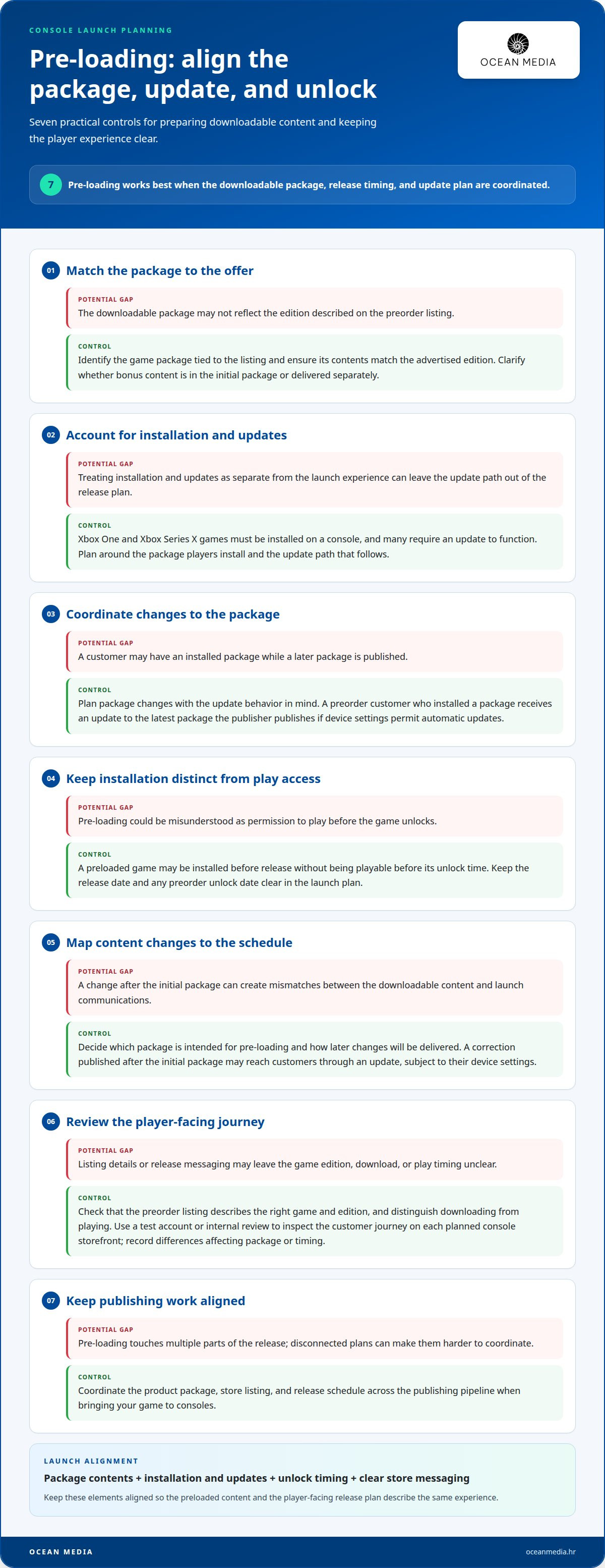
Pre-loading works best when the downloadable package, release timing, and update plan are coordinated. Use these steps to prepare content players can install before launch.
- Define the package players will download. Identify the game package tied to the preorder listing and ensure its contents match the advertised edition. For example, if an edition includes bonus content, clarify whether that content is included in the initial package or delivered separately. Accurate alignment helps set clear expectations.
- Plan around platform installation. Xbox One and Xbox Series X games must be installed on a console, and many require an update to function. Treat installation and updates as part of the launch experience, not as separate details. Your release plan should account for the package players install and the update path that follows.
- Coordinate the package update. A preorder customer who has installed a package receives an update to the latest package the publisher publishes if device settings permit automatic updates. Plan package changes with that behavior in mind. Keep the release version and subsequent update aligned, so players receive the intended content when their settings allow it.
- Separate install readiness from play access. A preloaded game may be installed before release without being playable before its unlock time. Keep the release date and any preorder unlock date clear in your launch plan. This distinction helps avoid messaging that implies early installation also means early access.
- Map content changes to your schedule. Decide which package is intended for pre-loading and how later changes will be delivered. For example, a correction published after the initial package may reach customers through an update, subject to their device settings. Document the sequence so store details and launch communications remain consistent.
- Review the player-facing experience. Check that the preorder listing describes the right game and edition, and that release messaging distinguishes downloading from playing. Use a test account or an internal review process to inspect the customer journey on each planned console storefront. Record any differences that affect the package or timing.
- Keep publishing coordination close. Pre-loading touches the product package, store listing, and release schedule. Bringing your game to consoles means aligning these parts across the publishing pipeline. If you need support coordinating console publishing, explore our console publishing process as you shape the launch plan.
These steps give your team a framework for preparing downloadable content. Keep the package consistent, coordinate update timing, communicate precisely, and connect each decision to the release plan.
Pre-order bundles and early-access incentives
A bundle can make a console pre-order more distinctive, but every included item needs clear treatment. Plan the offer, entitlement, and unlock timing together so the purchase experience matches player expectations.
- Choose one clear incentive. Decide what the preorder adds, such as a digital artbook, a soundtrack, or an in-game item. Describe the content precisely. For example, if an outfit is the incentive, name the outfit and explain which game edition includes it.
- Map each item to its entitlement. Record whether the base game and each bonus are delivered together or separately. A bundle should communicate what the purchase grants, not just group several assets under one label. This mapping also helps keep store descriptions consistent with the planned content.
- Separate preorder rewards from early access. A bonus item can reward a preorder without changing when the game becomes playable. If you offer earlier access, state its unlock timing separately from the standard release date. Clear distinctions help players understand whether they receive extra content, earlier play, or both.
- Align Promo Code messaging. Redeeming a Promo Code for a product with a preorder configuration grants a preorder entitlement. The product cannot be played until its release date or preorder unlock date. Make that timing clear in promotional copy, especially if a code is part of a campaign.
- Define the bundle before publishing. Confirm the edition name, included content, and customer-facing description as one offer. For example, avoid describing a soundtrack as a preorder bonus if it belongs only to a separate edition. Consistent language reduces confusion between a standard purchase and an upgraded bundle.
- Coordinate incentive delivery. Tie each bonus to the correct product configuration and intended delivery point. If a cosmetic item is available at launch, explain that clearly. If it arrives later, describe that timing accurately instead of implying it appears with the initial purchase.
- Review the offer as a player. Read the listing from the first mention of the incentive through the purchase decision. Check that a player can distinguish the game, included bonus, and unlock timing without interpreting vague terms such as “exclusive content.” Replace broad language with specific descriptions.
Keep the offer simple enough to explain in one clear listing. A well-defined bundle supports the launch message and gives players a precise picture of what their pre-order includes.
Keep the entitlement distinct from an immediate right to play. For a product with a pre-order configuration, redeeming a Promo Code grants a pre-order entitlement, but the product cannot be played until its release date or pre-order unlock date. Make this distinction clear wherever the code is promoted, so the redemption message does not imply immediate access. Ensure the code wording, product configuration, and unlock timing describe the same offer. If access depends on the pre-order unlock date, state that timing clearly in customer-facing copy; otherwise, refer to the release date. This helps players understand the benefit of redemption and avoids confusing an entitlement with early access.
Pre-order planning and approval
Submit the game listing, release date, and pre-order assets through the relevant console publishing workflow. Approval timing and listing availability depend on the platform’s review process and the readiness of your submission.
-
Plan the Pre-order Listing Timeline
Build the listing timeline around development readiness, the target release, and platform approval. No single advance window suits every console game. Timing depends on when your listing information and assets are ready and when the platform can review them. Avoid setting a date before the release plan can support it.
-
Submit Listing Details and Assets
Prepare the game title, edition information, description, release date, and pre-order assets as one coordinated submission. Provide the materials through the platform’s publishing workflow. Before submitting, ensure the store copy matches the game and edition players will purchase, and that the artwork represents the same product.
- Organize submission materials. Group the listing details and assets by console and edition. A standard edition and a deluxe edition may need distinct descriptions and artwork. Clear organization helps the submission team identify which materials belong together and reduces the chance of applying the wrong asset to a listing.
- Review dates against dependencies. Compare the proposed release date with the development schedule and the status of required listing materials. If key assets or product details are still changing, settle those decisions before submission where possible. A date that moves can require updates to the listing and launch communications.
- Track review feedback. Record platform questions, requested changes, and resubmission status in one shared place. Assign an owner to each item, such as correcting an edition description or replacing an asset. This keeps review work visible and helps the team avoid sending inconsistent versions through separate channels.
- Coordinate approval with launch communications. Prepare announcement copy around the approved listing details and release plan. For example, don’t promote a preorder incentive using wording that differs from the store offer. If approval leads to a change, update the affected copy before communicating the revised information to players.
- Keep a final submission record. Save the submitted listing details, release date, asset versions, and relevant platform feedback together. This record gives your publishing team a reference point if information changes later. It also helps distinguish the current approved materials from earlier drafts during launch preparation.
Treat these actions as connected publishing steps, not separate handoffs. A clear timeline and consistent submission package help your team manage approval and keep the pre-order listing aligned with the planned release.
How far in advance can a console game be listed for preorder?
No single advance window suits every console release. Set the listing date according to submission readiness, platform review, and confidence in your release schedule.
- Work backward from the planned release. Map the decisions that must be complete before the listing goes live, including the game description, edition details, assets, and release date. The time needed depends on how quickly your team can finalize those materials and complete the platform’s review process.
- Set a readiness milestone before choosing a listing date. Use a clear internal checkpoint for the product information and store assets. For example, if the edition contents are still changing, the listing copy may also need revisions. Avoid treating an early target date as a substitute for a submission-ready package.
- Build platform review into the schedule. Include time for review feedback and any required revisions in your timeline. The review path can affect when a listing becomes available, so don’t plan the preorder launch as though submission and approval happen instantly. Track each platform’s progress separately.
- Connect listing timing to release confidence. Choose a date your team can support with its development plan and customer communications. If the build schedule is uncertain, consider how a date change would affect the store listing, campaign materials, and player expectations before making the preorder public.
- Allow for asset and copy updates. Store materials can need changes as the game’s positioning or edition details evolve. Keep source files and approved copy organized so revisions can be prepared efficiently. A title, edition description, and artwork should continue to represent the same offer at every stage.
- Use separate milestones for each console. Track submission, review status, listing readiness, and release information by platform. One console’s timeline may not match another’s. A platform-level schedule helps your team see what is ready to move forward and where outstanding work could affect the planned launch.
- Choose the listing window based on dependencies. There’s no useful universal date to copy without considering your project’s readiness and review path. Set the window after accounting for those factors, then keep release communications aligned with the dates shown in each storefront.
If you’re coordinating console submissions and release timing, plan your console publishing pipeline with a structured path from preparation through launch.
Keep the customer’s ability to use the purchase separate from the date a storefront can accept a listing. Preparing the console and its games in advance can help reduce setup delays for the recipient. That estimate concerns advance preparation, not how early a preorder must appear, so it should not be treated as a fixed lead time for every title.
Use the estimate as a prompt to align the public offer with what the team can deliver. Check that the store presentation and release communications describe the same product, and distinguish the team’s preparation checkpoint from the listing’s go-live date. If readiness changes, review both the storefront information and the schedule rather than relying on an early listing date alone. This connects pre-order timing to practical preparation without implying that every console release needs the same advance window.
Ocean Media: Console Game Publishing
Ocean Media provides Console Game Publishing for developers preparing a console release. Turn to Ocean Media when platform submissions, pre-order coordination, and launch planning need a clear publishing process. Ocean Media helps connect your game with console storefronts and manage the technical and administrative work involved in bringing it to consoles.
From aligning release information to coordinating the publishing pipeline, Ocean Media works with you to shape the next steps for your title. You bring the creative vision; the team guides the publishing process as your game reaches a global audience.
Contact Ocean Media to discuss your release, reserve your slot in our publishing pipeline and let's get started today!
Turn Your Release Plan Into a Clear Next Step
Bring the pre-order plan into your wider console release strategy. Consider how the storefront experience, launch messaging, and publishing workflow can reinforce the same promise to players. A coordinated approach to setting up a game for pre-order on console keeps the commercial plan connected to the creative vision as the release moves forward.
Ocean Media offers Console Game Publishing for studios preparing to bring a title to consoles. If you’re ready to discuss the publishing path for your game, discuss your launch with Ocean Media. Together, we can explore the next steps for your project and its place in our publishing pipeline.
Bring your goals and launch priorities to the conversation. A focused discussion can help turn your console release plans into a practical path forward.
Frequently Asked Questions
What publisher and platform requirements apply to console game preorders?
A complete game submission and platform-ready store materials are central to the process. Your publisher coordinates the submission workflow, while each console platform reviews the information and assets for its storefront. For example, a console edition listing should identify the correct product and match its release information. Keep a record of platform feedback and decisions so your team can track which materials are ready for each listing.
What preorder bonuses and editions can be offered on console storefronts?
Pre-order offers can distinguish editions or include bonus content, with the exact setup depending on the storefront’s product configuration. Create a simple matrix showing each edition, its included content, and any pre-order entitlement. For example, compare the standard and premium editions side by side, then make sure the promotional copy describes the correct offer. This helps players understand the differences before purchase.


