

A DLC release can expand a game’s reach, but its storefront listing is only one part of the plan. Publishing DLC on console platforms also means aligning the package with the base game and platform, accounting for licensing and submission requirements, and choosing a price that fits the content and audience.
Additional content needs to feel worthwhile to players and work smoothly within the game. The challenge is coordinating that experience across console storefronts, where packaging, platform requirements, and pricing decisions all shape the release.
This article explains how console storefronts handle DLC distribution, what packaging and licensing involve, and how platform exclusives can shape a release. It also covers pricing and season passes, including trade-offs that can affect player access. Understanding the publishing pipeline helps you plan a DLC release and make informed choices for your game.
Key Takeaways
- Plan storefront distribution as part of the release strategy, since each console platform has its own digital marketplace and publishing process.
- Align DLC packaging with the base game and platform so players can access the content as intended.
- Account for licensing and platform requirements early, as they shape the publishing pipeline and submission process.
- Weigh the reach and audience impact of platform-exclusive content alongside your pricing and packaging choices.
- For support bringing your game to consoles, reserve your slot in our publishing pipeline and let's get started today!
Console storefronts and digital distribution
Console DLC reaches players through platform storefronts, where each item must connect to the correct game and platform account. Microsoft Store, Nintendo eShop, and PlayStation Store are common digital destinations. Console distribution is generally more restricted than distribution on PC, macOS, and Linux, so releases follow platform-specific publishing processes rather than a single universal upload.
The storefront model grew alongside console connectivity. The Dreamcast included online support as a standard feature, though bandwidth and memory-card capacity limited downloadable content. Xbox 360, released in 2005, supported DLC purchases and downloads through Xbox Live Marketplace. PlayStation 3 and Wii, both released in 2006, offered content through PlayStation Store and Wii Shop Channel, respectively. These examples show how storefronts became part of the console release experience.
For a new release, the storefront is more than a sales page. It connects a DLC package to its base game and gives players a way to find, purchase, download, and access the content. Plan the listing alongside the package and release schedule. Keep the description consistent with what the DLC includes, and coordinate it with the game version and availability plan.
What are the requirements for publishing DLC on Xbox Series X|S? Console publishing generally involves registration, title-specific licensing and contracting, and access to development kit hardware. Account for platform-specific storage considerations when preparing the package and player experience.
What are the requirements for publishing DLC on Nintendo Switch? Nintendo eShop is the storefront for digital distribution. Console publishing generally involves registration, title-specific licensing and contracting, and development kit hardware. The release also needs a package associated with its base game.
What are common reasons console DLC submissions fail certification? A mismatch between the package, base game, or storefront information can cause submission problems. Technical errors, incomplete content, or behavior that differs from the submitted description can also complicate review. Align the build, listing, and player-facing experience before submission.
Use the storefront plan to coordinate the release, not as a late-stage handoff. For each platform, align these pieces:
- Game connection: associate the DLC with the correct base game.
- Package and storage: account for platform-specific installation requirements, including Xbox Series X|S fast storage.
- Store presentation: make the description match the content players receive.
- Release coordination: synchronize the storefront listing with the package and intended release.
Publishing DLC on console platforms is a distribution decision as well as a content decision. A consistent package and storefront presentation help players understand what they are buying and how it fits into the game.
DLC package configuration
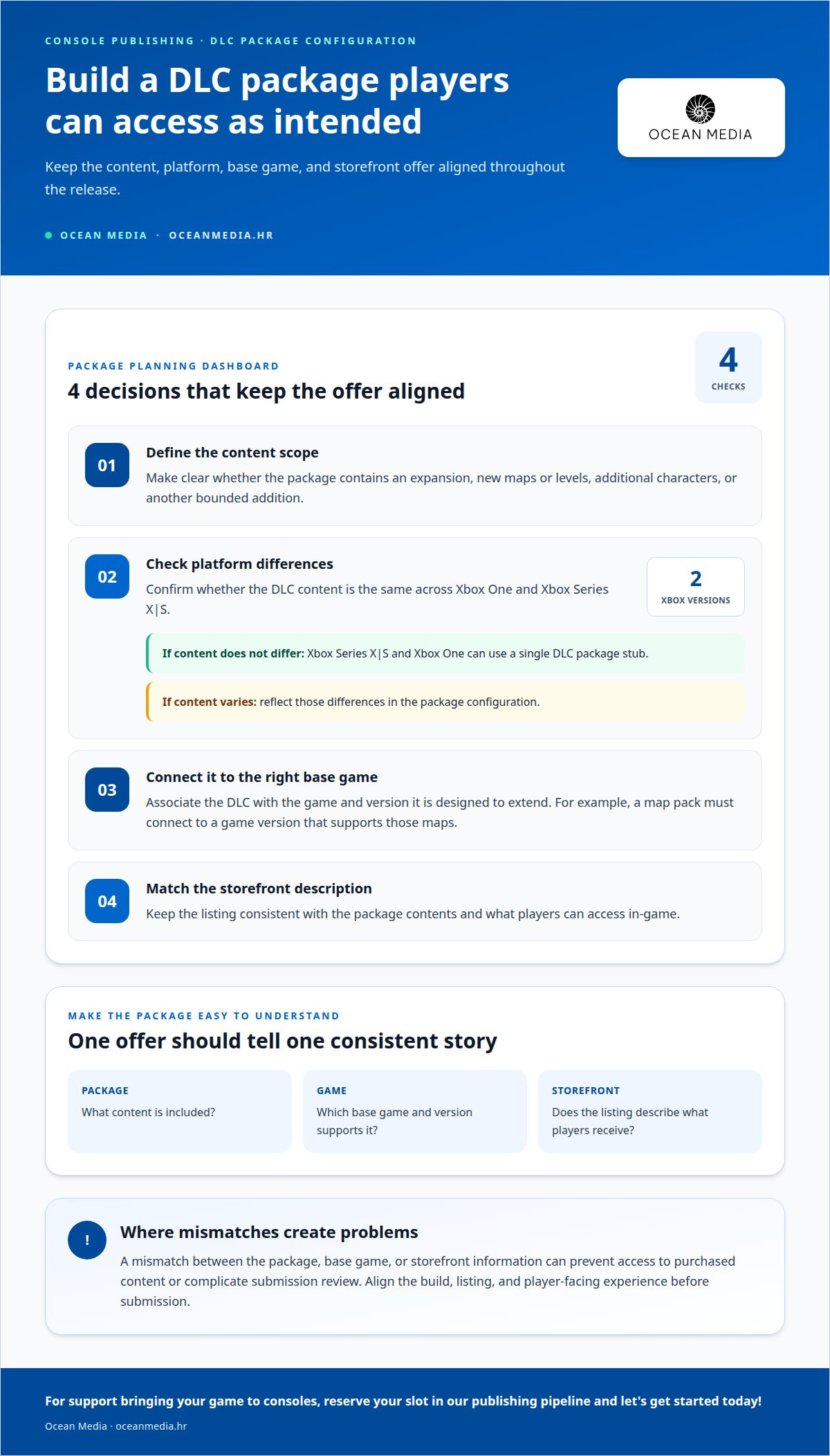
A DLC package defines which additional content belongs to a game and how it is delivered. Examples include expansions, new maps or levels, and additional characters. Configuration connects the files and features to the intended base game, platform, and release. A mismatch can prevent players from accessing purchased content, even when the storefront listing looks correct.
Start by defining the content boundary. A character pack, for example, should identify the included characters and the game they extend. An expansion may add a larger set of content, while a map pack focuses on new play spaces. These differences affect how the package is assembled and described. Keep each package’s contents distinct so the storefront offer matches what the game makes available.
Next, identify whether content differs between platforms. Xbox Series X|S and Xbox One can use a single DLC package stub when the DLC has no platform-specific content differences. If the content varies by platform, the package configuration must reflect that. Treating versions as interchangeable when their content differs can create inconsistencies between what the package delivers and what the game expects.
Configuration also connects DLC to the correct base game. For example, a map pack must be associated with the game version that supports those maps. The package, game, and storefront description should all agree on the offer. A clear configuration plan helps teams coordinate these elements before submission, rather than uncovering a mismatch during release preparation.
Use these decisions to shape the package plan:
- Content scope: define whether the offer contains an expansion, maps, levels, characters, or another clearly bounded addition.
- Platform differences: identify whether Xbox One and Xbox Series X|S share the same content or require distinct configurations.
- Game association: connect the package to the base game and version it is designed to extend.
- Player-facing description: align the listed contents with the experience delivered in-game.
These decisions also make separate DLC offers easier to understand. If a game offers both a character pack and a map pack, clear boundaries distinguish their contents and prevent packaging overlap. The same applies when an expansion is sold alongside smaller additions: define what each package includes, then match its game association and platform configuration.
For support with console publishing, a structured publishing pipeline can help coordinate package configuration with the wider release process. Clear content definitions and platform distinctions give your team a practical foundation for bringing your game to consoles.
DLC package licensing
Licensing establishes the platform relationship that lets a DLC release proceed through review. Registration, title-specific agreements, and development hardware shape the work before certification begins.
DLC Certification and Approval Submissions
Certification submission means sending a DLC package to a console platform for review and approval. Developers submit through the platform’s publishing process, using the access and arrangements associated with their title. Console publishing generally requires registration, title-specific licensing and contracting, and access to development kit hardware. These elements provide the basis for submitting content tied to a particular game and platform.
For example, a submission for downloadable characters should represent the package intended for that game, not content for another title. Aligning the submission with the licensed title helps keep the review focused on the correct release.
Certification and Release Approval Timing
Certification and release approval timing depends on platform review and any work needed to address feedback. There is no single timeline for every console or DLC package. The platform, submission readiness, and any corrections required after review all affect when approval can proceed. Plan for review as part of release coordination, not as an afterthought.
Build the schedule around the actual submission and review stages. If feedback requires a package update, the revised version must go through the relevant review process before the release plan can rely on it.
Licensing is title-specific, so arrangements for a base game do not automatically cover every later content release. Treat each DLC submission as connected to its own package and the game it extends. A new map pack, for instance, should be prepared for the correct title and platform, with its package and submission materials aligned.
Keep release information consistent across the elements involved in review. The package should match the intended content, and the title association and platform submission should point to the same release. This coordination helps prevent confusion, such as presenting one set of content while submitting another.
Use a practical licensing and review plan to keep responsibilities clear:
- Establish access: complete the platform registration and title arrangements needed for publishing.
- Prepare the release: align the DLC package with its game and intended platform.
- Submit for review: use the platform’s publishing process for certification and approval.
- Coordinate changes: account for feedback and package revisions in release scheduling.
Licensing, submission, and approval are connected parts of the publishing pipeline. Planning them together helps your team coordinate the package and release schedule with fewer last-minute surprises.
Platform-exclusive DLC
Platform-exclusive DLC is content available on one console platform or released there before other platforms. For example, a studio might offer a character pack on PlayStation while planning different access on Xbox. That choice can support a platform-focused release, but it also shapes who can play each addition. Define the exclusivity clearly before coordinating content, release timing, and player communication.
Exclusivity can apply to the content itself or its timing. A timed offer might launch on one platform first, then reach others later. A fully exclusive character or mission remains tied to its chosen platform. These approaches create different expectations, so describe the offer accurately in each storefront listing and avoid implying availability beyond the release plan.
Consider how exclusive content affects the core game. A cosmetic outfit, for example, may distinguish one platform’s offer without changing how players progress. A new map or gameplay character can have a broader effect, especially in multiplayer. If a season pass becomes the main route to maps or other gameplay content, players without the pass may be separated from those who have it.
That separation can affect matchmaking and shared play. Before making maps exclusive, consider how players on different platforms access the same modes. A pass that gates key multiplayer content can divide the player base by access, even when the base game is available across platforms. Keep the intended experience in mind when deciding which content to reserve.
Use these questions to frame the decision:
- What is exclusive? Specify whether the offer covers a character, map, mission, cosmetic item, or release window.
- Who can access it? Identify the platform and the player group eligible for the content.
- Does it affect play? Assess whether the content changes progression, multiplayer access, or shared modes.
- How is it presented? Match each storefront description to the actual platform offer and timing.
A season pass adds another packaging choice. It can let buyers pre-order a selection of upcoming content and receive it as it is released. If the pass includes platform-exclusive items, explain which additions are included and where they can be used. A clear contents list helps players distinguish included DLC from separate platform-specific releases.
For example, a studio planning a PlayStation-first mission and a later Xbox release should map both offers to the actual rollout. The release plan, storefront copy, and gameplay access should tell the same story. That coordination makes exclusivity a deliberate publishing choice rather than a surprise that changes how players understand the game.
What are the requirements for publishing DLC on PlayStation 5?
Publishing DLC for PlayStation 5 involves more than preparing the content files. Console publishing generally requires registration, per-title licensing and contracting, and access to development kit hardware. These foundations support the platform process for a specific game. Treat them as connected parts of preparing a DLC release, rather than tasks that begin only after content production ends.
Start with the title relationship. The DLC package needs to represent content for the PlayStation 5 game it extends. For example, a new character pack should be prepared for the correct game, with the package contents and release description aligned. This connection helps keep the submitted content distinct from unrelated game files or another title’s add-on.
Registration and licensing establish the publishing relationship for a title. Per-title agreements matter because a DLC release belongs to a particular game and platform context. Development kit hardware supports work within the console publishing process. Plan these elements alongside package preparation so access, title arrangements, and the release build move forward together.
A practical preparation plan can organize the work into clear areas:
- Title and access: establish platform registration and the arrangements associated with the PlayStation 5 game.
- Package identity: define the DLC contents and associate them with the intended base game.
- Development setup: include access to development kit hardware in the publishing plan.
- Submission alignment: keep the package and release description consistent with the content being submitted.
For example, a PlayStation 5 expansion may include new levels and characters. Define those contents as part of the package, then connect the release to the correct game. A smaller character add-on follows the same basic logic, although its package scope differs. Clear boundaries help the team coordinate what the DLC contains and how it relates to the title.
Build the release plan around these dependencies. Registration and title licensing support the platform relationship, while development hardware supports the technical publishing process. Package preparation then connects the content to the right game. Coordinating these elements gives your team a structured path through console publishing, with the DLC package tied to its underlying title.
If you’re preparing a PlayStation 5 release, work with our console publishing team to coordinate the publishing pipeline and bring your game to consoles.
Console DLC is commonly distributed through the platform’s online storefront, such as the Microsoft Store, Nintendo eShop, or PlayStation Store. For a PlayStation 5 release, the PlayStation Store is therefore part of the distribution context to account for while shaping the DLC plan. Keep the storefront destination in view when describing what the add-on contains and which game it extends, so the planned release remains clearly connected to the title. This storefront perspective complements the preparation work: the content package is not only defined as an addition to a game, but also planned for distribution through the platform’s online channel. Teams can use that relationship as a practical check when coordinating the release description and package identity. The key is to keep the intended add-on, its base game, and its distribution destination aligned in the release plan.
Ocean Media: Console Game Publishing
Ocean Media provides Console Game Publishing for digital releases across console platforms. Turn to us when your DLC plan needs to move from package and licensing decisions into the publishing pipeline, including platform submissions and release coordination.
We help simplify the technical and administrative complexities of bringing games to consoles. Ocean Media can connect your release goals with the steps involved in platform publishing, giving your team a clearer path from preparation to submission.
If you’re ready to discuss your console release, contact Ocean Media. Reserve your slot in our publishing pipeline and let's get started today!
Turn your DLC plan into a release path
Turn the creative direction for your DLC into a publishing plan your team can act on. Decide what experience you want players to have, then align your release goals with the platform and audience you intend to reach. A focused plan gives your team a clear basis for moving from concept toward launch.
Publishing DLC on console platforms brings creative choices together with the practical work of releasing content across console storefronts. Ocean Media offers Console Game Publishing to support developers working through that publishing path. If you’re ready to discuss how your DLC fits into your console release, contact Ocean Media about DLC publishing. Let’s take the next step toward bringing your game to consoles.
Frequently Asked Questions
How must console DLC be packaged, tested, and linked to a base game?
Package DLC as a clearly defined addition to its intended game, then test the player’s path from purchase to gameplay. Include scenarios where a player owns the base game and DLC, owns only the base game, or installs the add-on after purchase. For example, verify that a purchased character pack appears in the correct game and that players without it are not mistakenly shown access.
How do console DLC entitlements, licenses, and cross-generation compatibility work?
A license establishes the permitted use of DLC, while an entitlement represents a player’s access to that content through a platform account. Cross-generation access is not automatic: the DLC and game must support the relevant console versions and recognize the player’s entitlement. For example, owning an add-on for one generation does not by itself mean its files or features work on another. Define compatibility in the release plan and communicate it clearly.


